
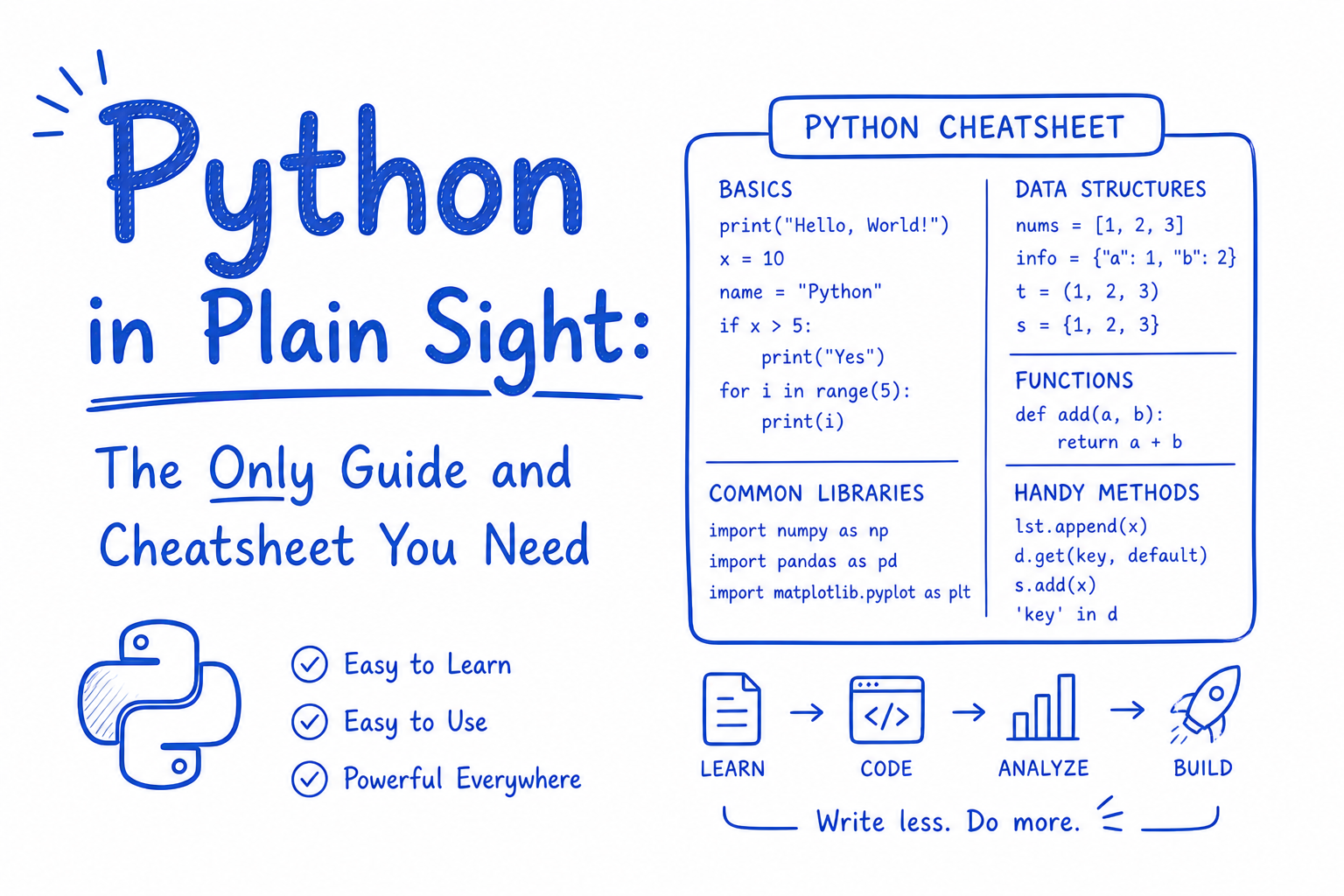
Python is the closest thing programming has to plain English. That's why beginners love it. That's also why it's dangerous: it looks simple until you're debugging a memory leak in a production service at 2am.
This guide covers the language the way it's actually used, not just how it's taught.
The Basics
Every Python program starts here. Variables don't need type declarations. Python figures out the type from the value you assign. This is called dynamic typing, and it speeds up writing code but means you need to be careful about what type is flowing through your functions.
name = "Prathmesh"       # str
age = 25                 # int
score = 98.6             # float
is_active = True         # bool
nothing = None           # NoneType
Python has three ways to format strings. Use f-strings. They are the most readable, the fastest, and the most modern. The others exist because the language evolved over 30 years and old code is everywhere.
# f-strings (preferred, Python 3.6+)
print(f"Hello, {name}. You are {age} years old.")

# .format() (older, still common)
print("Hello, {}".format(name))

# % formatting (avoid in new code)
print("Hello, %s" % name)
Type conversion is explicit in Python. It never coerces silently the way JavaScript does. bool(0) is False. bool("") is False. bool([]) is False. Knowing what is "falsy" saves you from subtle bugs.
type(age)          # <class 'int'>
str(age)           # "25"
int("42")          # 42
float("3.14")      # 3.14
bool(0)            # False
bool("")           # False
bool([])           # False
Control Flow
Control flow in Python is indentation-based. There are no curly braces. The colon at the end of if, for, while, and def lines is mandatory. Miss it and you get a SyntaxError.
if score >= 90:
    print("A grade")
elif score >= 75:
    print("B grade")
else:
    print("needs work")
Python 3.10 introduced match, which is structural pattern matching. It looks like a switch statement but is far more powerful. It can match on types, shapes, and values simultaneously.
match status:
    case "active":
        print("running")
    case "paused":
        print("on hold")
    case _:
        print("unknown")
Loops
range(n) generates numbers from 0 to n-1. It does not create a list in memory, it generates values on demand. This matters when n is a million.
enumerate is the correct way to loop when you need both the index and the value. Never do for i in range(len(items)) when you can use enumerate.
# basic for loop
for i in range(5):
    print(i)   # 0, 1, 2, 3, 4

# loop with index and value
for i, val in enumerate(["a", "b", "c"]):
    print(i, val)   # 0 a, 1 b, 2 c

# while loop
count = 0
while count < 3:
    count += 1

# loop control
for i in range(10):
    if i == 3: continue   # skip this iteration
    if i == 7: break      # exit the loop entirely
continue skips the rest of the current iteration. break exits the loop completely. Both are useful, but overusing them often signals that your logic can be restructured.
Data Structures
Python's four built-in data structures cover 90% of real programming needs. Knowing which one to reach for, and why, is one of the clearest signals of Python fluency.
Lists: ordered, mutable, allows duplicates
Use lists when order matters and you need to add or remove items. Lists are backed by dynamic arrays, so appending is fast but inserting at the beginning is slow.
items = [1, 2, 3, 4]
items.append(5)           # add to end, O(1)
items.insert(0, 0)        # insert at index, O(n)
items.pop()               # remove and return last item
items.pop(0)              # remove and return first item
items[0]                  # first item
items[-1]                 # last item (negative indexing)
items[1:3]                # slice, returns [2, 3]
items[::-1]               # reversed copy
sorted(items)             # returns new sorted list, original unchanged
items.sort()              # sorts in place, no return value
len(items)                # length
2 in items                # membership check
Dictionaries: key-value pairs, ordered (Python 3.7+), fast lookup
Use dicts when you need to look up values by a key. Dict lookup is O(1) on average. This is why you reach for a dict instead of a list when you're doing anything lookup-heavy.
user = {"name": "Alex", "age": 30}
user["name"]              # "Alex" (KeyError if missing)
user.get("email", "N/A") # safe access, returns default if key missing
user["email"] = "a@b.com" # add or update key
del user["age"]           # delete key
"name" in user            # True, check key existence
user.keys()               # all keys
user.values()             # all values
user.items()              # all key-value pairs as tuples
user.update({"role": "admin"})  # merge another dict in
Sets: unordered, no duplicates, fast membership checks
Sets are perfect for deduplication and membership testing. They use hash tables internally, so in checks are O(1), unlike lists where they are O(n).
tags = {"python", "ai", "python"}  # automatically deduped: {"python", "ai"}
tags.add("ml")
tags.discard("ai")        # removes if present, no error if not
tags.remove("ai")         # removes, raises KeyError if not present
"python" in tags          # True
a = {1, 2, 3}
b = {2, 3, 4}
a & b                     # intersection: {2, 3}
a | b                     # union: {1, 2, 3, 4}
a - b                     # difference: {1}
Tuples: ordered, immutable, faster than lists
Tuples are like lists that cannot be changed after creation. Use them for data that should not be mutated: coordinates, RGB values, database rows. They are also used for multiple return values from functions.
point = (10, 20)
x, y = point              # unpacking
a, b, *rest = (1, 2, 3, 4, 5)  # extended unpacking: a=1, b=2, rest=[3,4,5]
Comprehensions
Comprehensions are one of Python's most expressive features. They let you build data structures in a single readable line. Use them for simple transformations. If the logic gets complex, write a regular loop instead.
# list comprehension
squares = [x**2 for x in range(10)]

# with condition
evens = [x for x in range(20) if x % 2 == 0]

# nested (flatten a 2D list)
flat = [val for row in matrix for val in row]

# dict comprehension
lengths = {word: len(word) for word in ["hi", "hello", "hey"]}

# set comprehension
unique_remainders = {x % 3 for x in range(9)}

# generator expression (lazy, no list created in memory)
gen = (x**2 for x in range(1_000_000))
The generator expression (...) is especially important when working with large datasets. It computes values on demand rather than building the whole list in memory at once.
Functions
Functions in Python are first-class objects. You can pass them as arguments, return them from other functions, and store them in variables. This enables a lot of powerful patterns.
Default argument values are evaluated once at definition time, not each time the function is called. This is a classic Python trap: never use a mutable object like a list or dict as a default argument.
# basic function with default argument
def greet(name, greeting="Hello"):
    return f"{greeting}, {name}!"

# WRONG: mutable default argument
def add_item(item, lst=[]):    # lst is shared across all calls
    lst.append(item)
    return lst

# CORRECT: use None and create inside
def add_item(item, lst=None):
    if lst is None:
        lst = []
    lst.append(item)
    return lst
*args collects extra positional arguments as a tuple. **kwargs collects extra keyword arguments as a dict. Together they let you write functions that accept anything.
def log(*args, **kwargs):
    print("args:", args)
    print("kwargs:", kwargs)

log(1, 2, 3, name="Alex", level="info")
# args: (1, 2, 3)
# kwargs: {"name": "Alex", "level": "info"}
Lambdas are anonymous single-expression functions. Use them for short throwaway functions, especially when passing a function as an argument.
double = lambda x: x * 2
sorted(users, key=lambda u: u["age"])
Type hints do not enforce types at runtime but they make code dramatically more readable and enable static analysis tools like mypy and pyright to catch bugs before they hit production.
def add(a: int, b: int) -> int:
    return a + b

def process(items: list[str], limit: int = 10) -> dict[str, int]:
    return {item: len(item) for item in items[:limit]}
Error Handling
Python uses exceptions for error handling. The try/except block catches exceptions and lets you handle them gracefully. Never catch broad Exception unless you re-raise it or log it fully, because silent failures are the hardest bugs to track down.
try:
    result = 10 / 0
except ZeroDivisionError as e:
    print(f"Error: {e}")
except (TypeError, ValueError) as e:
    print(f"Type or value issue: {e}")
else:
    # runs only if no exception was raised
    print("Success:", result)
finally:
    # always runs, exception or not
    print("Cleanup done")
Raise your own exceptions when input is invalid. Use the most specific exception type that makes sense. This makes error handling at the call site much cleaner.
def divide(a: float, b: float) -> float:
    if b == 0:
        raise ValueError("Denominator cannot be zero")
    return a / b

# custom exceptions
class InsufficientFundsError(Exception):
    def __init__(self, amount, balance):
        super().__init__(f"Tried to withdraw {amount}, balance is {balance}")
        self.amount = amount
        self.balance = balance
File I/O
Always use the with statement when working with files. It guarantees the file is closed even if an exception occurs. Opening a file without with and forgetting to call .close() causes resource leaks.
# read entire file
with open("file.txt", "r", encoding="utf-8") as f:
    content = f.read()

# read line by line (memory efficient for large files)
with open("file.txt") as f:
    for line in f:
        print(line.strip())

# write (overwrites existing content)
with open("file.txt", "w", encoding="utf-8") as f:
    f.write("hello world\n")

# append (adds to existing content)
with open("file.txt", "a") as f:
    f.write("new line\n")

# read all lines into a list
with open("file.txt") as f:
    lines = f.readlines()   # includes newline characters
For JSON, which is the most common file format in modern Python work:
import json

# write JSON
with open("data.json", "w") as f:
    json.dump({"name": "Alex", "scores": [1, 2, 3]}, f, indent=2)

# read JSON
with open("data.json") as f:
    data = json.load(f)
Classes and OOP
Python's object model is simple and consistent. Everything is an object, including functions, classes, and modules. Understanding __init__, self, class variables vs instance variables, and the dunder methods gives you 90% of what you need.
self is a reference to the current instance. It is not a keyword, just a convention. The first parameter of every instance method must be self.
Class variables are shared across all instances. Instance variables are specific to each object. Mixing them up is a common source of bugs.
class BankAccount:
    interest_rate = 0.05   # class variable, shared by all accounts

    def __init__(self, owner: str, balance: float = 0):
        self.owner = owner          # instance variable
        self.balance = balance      # instance variable

    def deposit(self, amount: float) -> None:
        if amount <= 0:
            raise ValueError("Deposit amount must be positive")
        self.balance += amount

    def withdraw(self, amount: float) -> None:
        if amount > self.balance:
            raise InsufficientFundsError(amount, self.balance)
        self.balance -= amount

    def apply_interest(self) -> None:
        self.balance *= (1 + self.interest_rate)

    @classmethod
    def set_rate(cls, rate: float) -> None:
        cls.interest_rate = rate   # changes for ALL instances

    @staticmethod
    def validate_amount(amount: float) -> bool:
        return isinstance(amount, (int, float)) and amount > 0

    def __repr__(self) -> str:
        return f"BankAccount(owner={self.owner!r}, balance={self.balance:.2f})"

    def __str__(self) -> str:
        return f"{self.owner}'s account: ${self.balance:.2f}"
Inheritance lets one class reuse and extend another. Use super() to call the parent class's methods. Prefer composition over inheritance when the relationship is "has a" rather than "is a".
class SavingsAccount(BankAccount):
    def __init__(self, owner: str, balance: float = 0, withdrawal_limit: int = 3):
        super().__init__(owner, balance)
        self.withdrawal_limit = withdrawal_limit
        self._withdrawals_this_month = 0

    def withdraw(self, amount: float) -> None:
        if self._withdrawals_this_month >= self.withdrawal_limit:
            raise Exception("Monthly withdrawal limit reached")
        super().withdraw(amount)
        self._withdrawals_this_month += 1
Iterators and Generators
Generators are one of Python's most powerful and underused features. A generator function uses yield instead of return. It produces values lazily, one at a time, without building the entire sequence in memory. This is critical for large datasets.
# regular function: builds entire list in memory
def get_squares(n):
    return [x**2 for x in range(n)]

# generator: produces values on demand
def generate_squares(n):
    for x in range(n):
        yield x**2

# the difference matters at scale
get_squares(10_000_000)      # allocates a list of 10M items
generate_squares(10_000_000) # uses almost no memory
You can iterate a generator only once. If you need to go through values multiple times, convert to a list first.
gen = generate_squares(5)
next(gen)   # 0
next(gen)   # 1
list(gen)   # [4, 9, 16] (continues from where it left off)
next(gen)   # StopIteration (exhausted)
Useful Built-ins
Python's built-in functions are written in C and are faster than equivalent Python code. Know them well.
len([1, 2, 3])                      # 3
sum([1, 2, 3])                      # 6
min([3, 1, 2])                      # 1
max([3, 1, 2])                      # 3
abs(-5)                             # 5
round(3.14159, 2)                   # 3.14
pow(2, 10)                          # 1024 (faster than 2**10 for large numbers)

zip([1,2,3], ["a","b","c"])         # pairs: (1,"a"), (2,"b"), (3,"c")
map(str, [1, 2, 3])                 # lazy: "1", "2", "3"
filter(None, [0, 1, False, 2, ""])  # lazy: 1, 2 (removes falsy values)

any([False, True, False])           # True (at least one truthy)
all([True, True, True])             # True (all truthy)
all([True, False, True])            # False

sorted([3,1,2], reverse=True)       # [3, 2, 1]
sorted(users, key=lambda u: u["name"])  # sort by key

isinstance(42, int)                 # True
isinstance(42, (int, float))        # True (check against multiple types)
issubclass(bool, int)               # True

vars(obj)                           # object's __dict__
dir(obj)                            # list all attributes and methods
help(str.split)                     # inline docs
Standard Library Highlights
The standard library is where Python's "batteries included" philosophy shines. Before reaching for a third-party package, check if what you need is already built in.
os and pathlib: working with the filesystem
Prefer pathlib over os.path in modern Python. It is more readable and object-oriented.
from pathlib import Path

p = Path("data/file.txt")
p.exists()           # True/False
p.parent             # Path("data")
p.stem               # "file"
p.suffix             # ".txt"
p.read_text()        # read file contents
p.write_text("hi")   # write file contents
list(Path(".").glob("*.py"))   # all Python files in current dir

import os
os.environ.get("API_KEY", "default")
os.getcwd()          # current working directory
collections: better data structures
from collections import defaultdict, Counter, deque, namedtuple

# defaultdict: dict with automatic default values
word_count = defaultdict(int)
for word in text.split():
    word_count[word] += 1

# Counter: count occurrences
c = Counter(["apple", "banana", "apple", "cherry", "apple"])
c.most_common(2)     # [("apple", 3), ("banana", 1)]

# deque: fast append/pop from both ends
q = deque([1, 2, 3])
q.appendleft(0)      # O(1) vs list insert O(n)
q.popleft()          # O(1) vs list pop(0) O(n)

# namedtuple: lightweight immutable object
Point = namedtuple("Point", ["x", "y"])
p = Point(10, 20)
p.x   # 10
datetime: working with dates and times
from datetime import datetime, date, timedelta

now = datetime.now()
today = date.today()
now.strftime("%Y-%m-%d %H:%M:%S")   # format to string
datetime.strptime("2025-01-01", "%Y-%m-%d")  # parse from string

# arithmetic
tomorrow = today + timedelta(days=1)
two_weeks_ago = now - timedelta(weeks=2)
diff = datetime(2025, 12, 31) - now
diff.days   # days until New Year
re: regular expressions
import re

re.findall(r"\d+", "price: 100 qty: 5")    # ["100", "5"]
re.sub(r"\s+", " ", "too  many   spaces")  # "too many spaces"
re.match(r"^\d{4}-\d{2}-\d{2}$", "2025-01-01")  # match at start
re.search(r"\d+", "abc123")               # find anywhere in string

# compile for reuse (faster in loops)
pattern = re.compile(r"[A-Z][a-z]+")
pattern.findall("Hello World from Python")  # ["Hello", "World", "Python"]
itertools: high-performance iteration
import itertools

list(itertools.chain([1,2], [3,4], [5]))      # [1,2,3,4,5]
list(itertools.combinations("ABC", 2))         # AB AC BC
list(itertools.permutations("AB", 2))          # AB BA
list(itertools.product([0,1], repeat=3))       # all 3-bit binary combos
list(itertools.islice(range(1000), 5))         # first 5 items
Production Patterns
Environment variables
Never hardcode secrets. Use .env files locally and environment variables in production.
import os
from dotenv import load_dotenv   # pip install python-dotenv

load_dotenv()  # loads .env file into environment
API_KEY = os.getenv("API_KEY")
DB_URL = os.getenv("DATABASE_URL", "postgresql://localhost/dev")

if not API_KEY:
    raise RuntimeError("API_KEY environment variable is required")
Logging (never use print in production)
print is for scripts and debugging. logging is for applications. It gives you levels, timestamps, file output, and the ability to silence noisy third-party libraries.
import logging

logging.basicConfig(
    level=logging.INFO,
    format="%(asctime)s %(levelname)s %(name)s: %(message)s"
)
logger = logging.getLogger(__name__)

logger.debug("Detailed info for debugging")
logger.info("Server started on port 8000")
logger.warning("Disk usage above 80%")
logger.error("Database connection failed: %s", err)
logger.exception("Unhandled error")  # includes traceback
Dataclasses: cleaner data containers
Dataclasses auto-generate __init__, __repr__, and __eq__ for you. Use them instead of plain classes for objects that are primarily data holders.
from dataclasses import dataclass, field
from typing import Optional

@dataclass
class Config:
    host: str = "localhost"
    port: int = 8000
    debug: bool = False
    allowed_origins: list = field(default_factory=list)
    db_url: Optional[str] = None

    def base_url(self) -> str:
        return f"http://{self.host}:{self.port}"

config = Config(port=3000, debug=True)
print(config)  # Config(host='localhost', port=3000, ...)
Context managers: guaranteed cleanup
Context managers ensure resources are released even when exceptions occur. You can write your own with @contextmanager.
from contextlib import contextmanager
import time

@contextmanager
def timer(label: str):
    start = time.perf_counter()
    try:
        yield
    finally:
        elapsed = time.perf_counter() - start
        print(f"{label}: {elapsed:.3f}s")

with timer("data processing"):
    process_large_dataset()
Async Python: concurrent I/O without threads
Use asyncio when your bottleneck is I/O (network calls, database queries, file reads), not CPU. Async Python runs on a single thread using cooperative multitasking.
import asyncio
import aiohttp   # pip install aiohttp

async def fetch(session, url: str) -> dict:
    async with session.get(url) as response:
        return await response.json()

async def fetch_all(urls: list[str]) -> list[dict]:
    async with aiohttp.ClientSession() as session:
        tasks = [fetch(session, url) for url in urls]
        return await asyncio.gather(*tasks)   # runs all concurrently

results = asyncio.run(fetch_all(["https://api.example.com/1", "https://api.example.com/2"]))
Fetching 100 URLs sequentially might take 10 seconds. With asyncio.gather, it takes as long as the slowest single request.
Quick Reference Card
TaskOne-liner
Flatten a list
[x for sub in lst for x in sub]
Deduplicate preserving order
list(dict.fromkeys(lst))
Reverse a string
s[::-1]
Merge two dicts
{**dict1, **dict2}
Swap variables
a, b = b, a
Check if list is empty
if not lst:
Safe dict access
d.get("key", default)
Sort list of dicts
sorted(lst, key=lambda x: x["age"])
Chunk a list into batches
[lst[i:i+n] for i in range(0, len(lst), n)]
Count occurrences
Counter(lst).most_common(5)
Transpose a matrix
list(zip(*matrix))
Remove duplicates from list
list(set(lst))
Get dict keys as list
list(d.keys())
Conditional expression
x if condition else y
Repeat a string
"ha" * 3 gives "hahaha"
Python rewards the people who learn to read it before they try to write it. Read good code. Then write yours.